A guide for busy owners
Somebody near you just asked,
“How much does a root canal cost?”
They didn't get ten blue links. They asked AI, and AI gave them one answer, with one dentist's name in it. If that name isn't yours, they call whoever it is, and you never even knew the question was asked.
This guide shows you how WellSaid makes that answer yours, for about five minutes of talking a week.
The whole idea
You talk. WellSaid does the rest.
WellSaid finds a question your customers are already asking AI. You answer it out loud, about five minutes. WellSaid writes it up in your voice, checks every fact against your words, and gets it onto your own website. Now AI has a real page from a real expert to point to. And next week, you get the next question.
- 1
We find the question
- 2
You talk for 5 minutes
- 3
We write it in your voice
- 4
It goes on your own website
- 5
AI can now point to you
- 6
Next week, the next question
Getting set up
Ten minutes, once.
Most of it is us working, not you.
Step 1 of 2
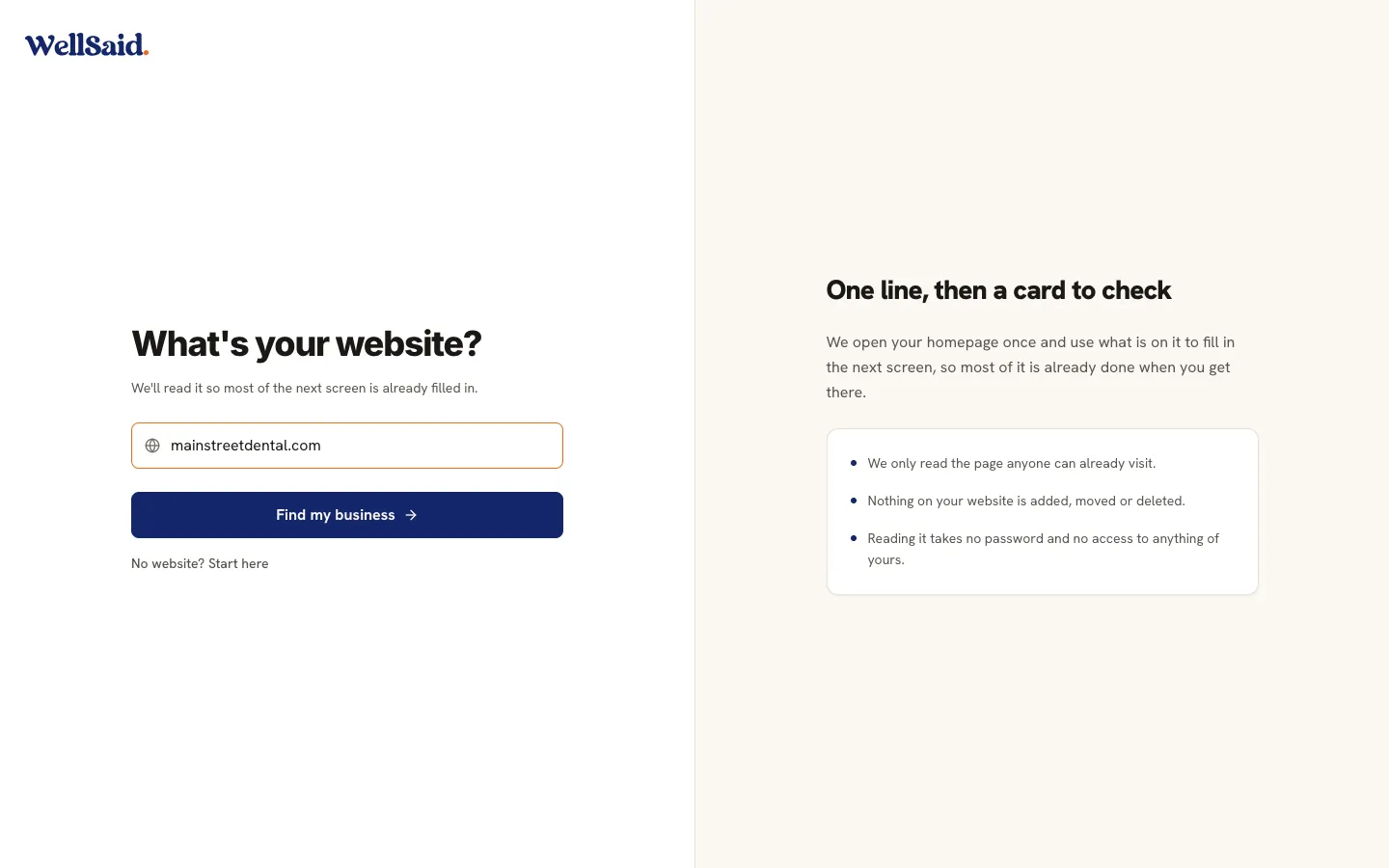
It starts with your website.
Type your web address and WellSaid reads your homepage once, so most of the next screen is already filled in when you get there. Nothing on your site is added, moved or deleted. No website? Answer three short questions instead: what your business is called, what kind it is, and what city you're in.
Step 2 of 2
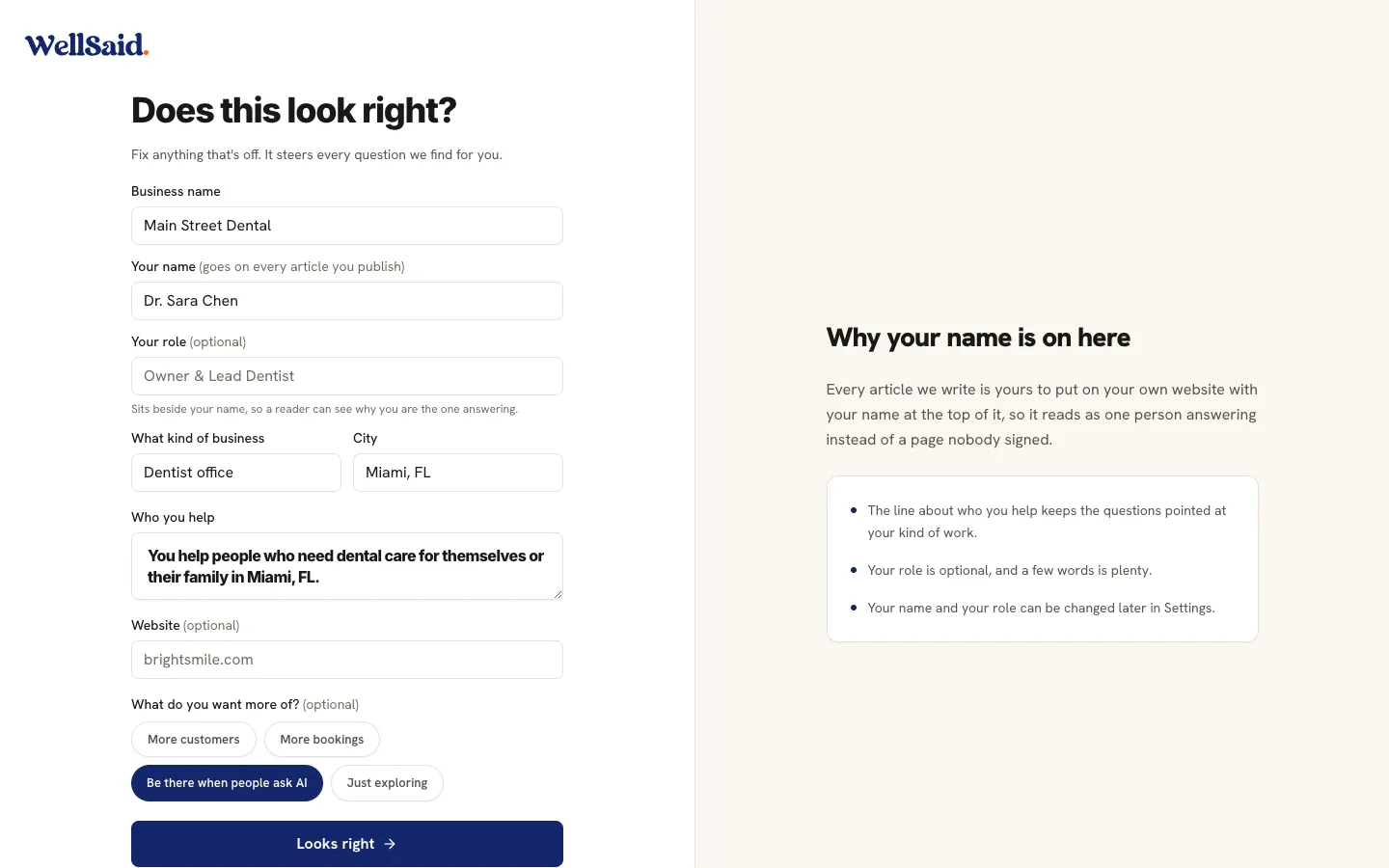
Does this look right?
It all comes back on one card, along with a sentence about who you help and a box for your name, which goes on every article you publish. Fix anything that looks off, because this little card steers every question we find for you. You can also tap what you want more of: more customers, more bookings, or being there when people ask AI. That is the whole of setting up.
The tour · Home
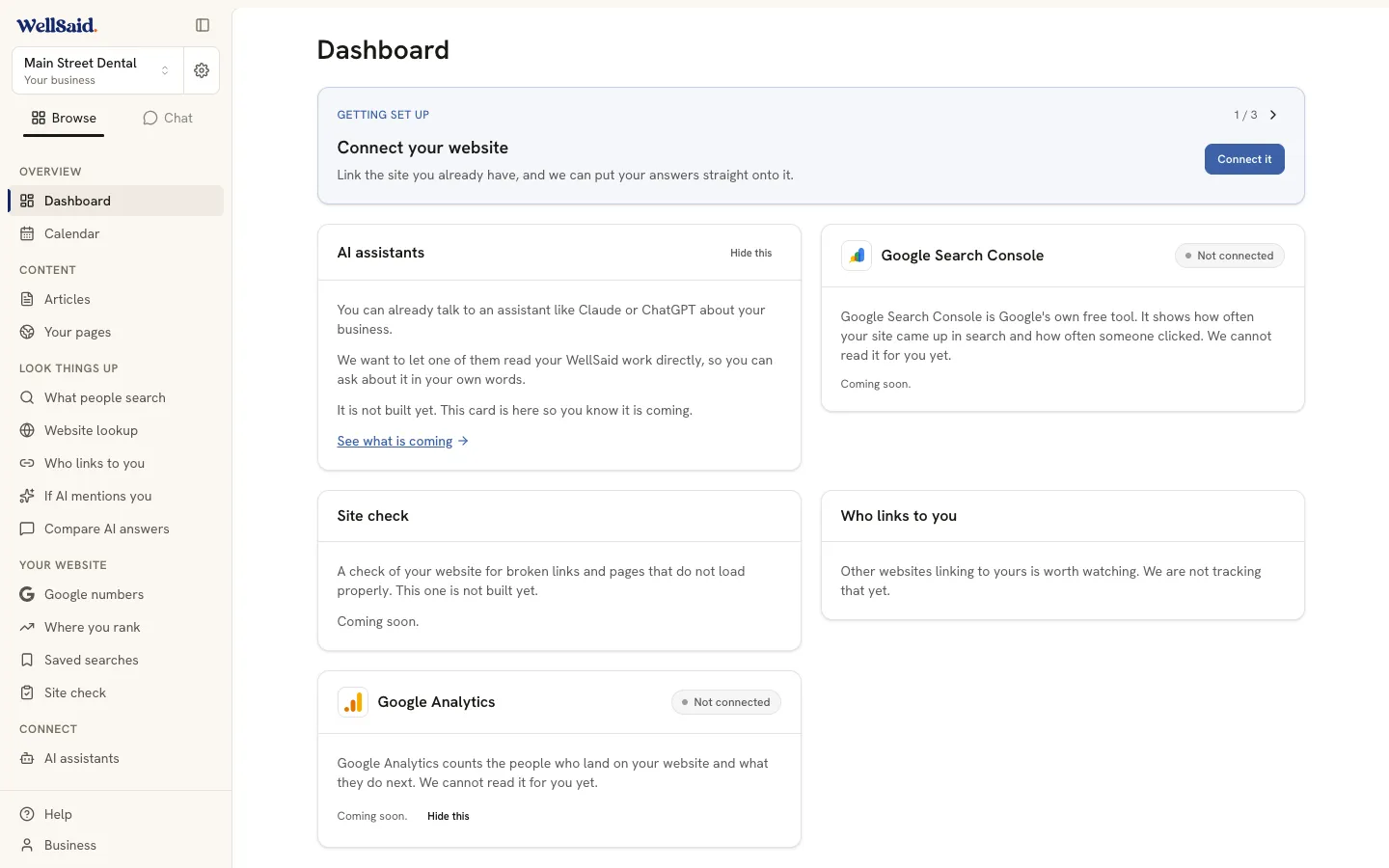
One thing to do. Never a pile.
Every time you open WellSaid, Home leads with one thing to do: the question you should answer this week, and why it's worth your time. A green “All good. Nothing needs you today.” means exactly that. You can close the tab.
The tour · Opportunities
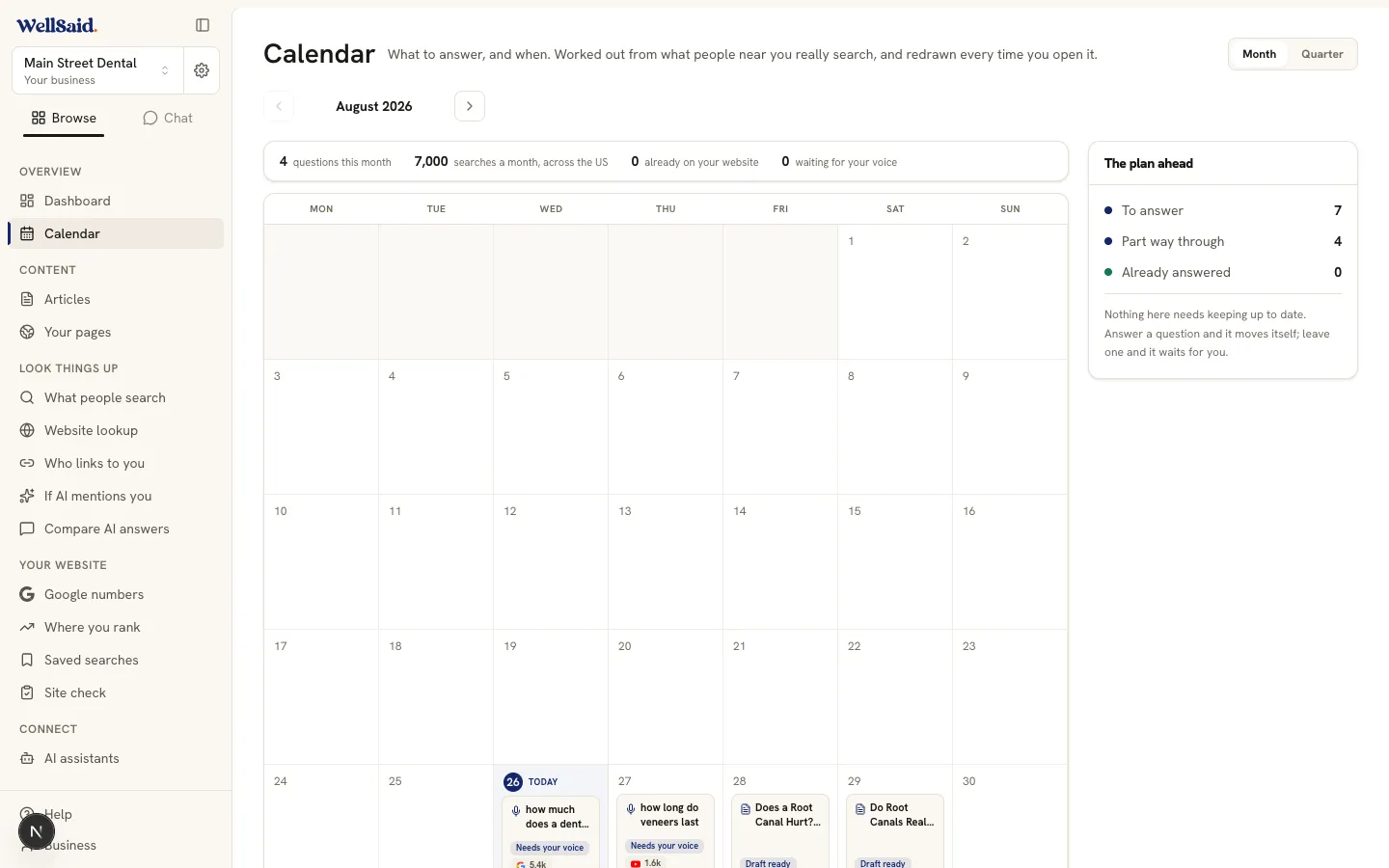
What are your neighbors asking right now?
Opportunities shows the demand: a real count of monthly searches for questions you could be answering. The ones the most people ask come first, with that count on each one. Tap any question to see what AI answers today and who gets named instead of you. That gap is what you're about to fill.
The tour · Answering
Your whole job: talk for five minutes.
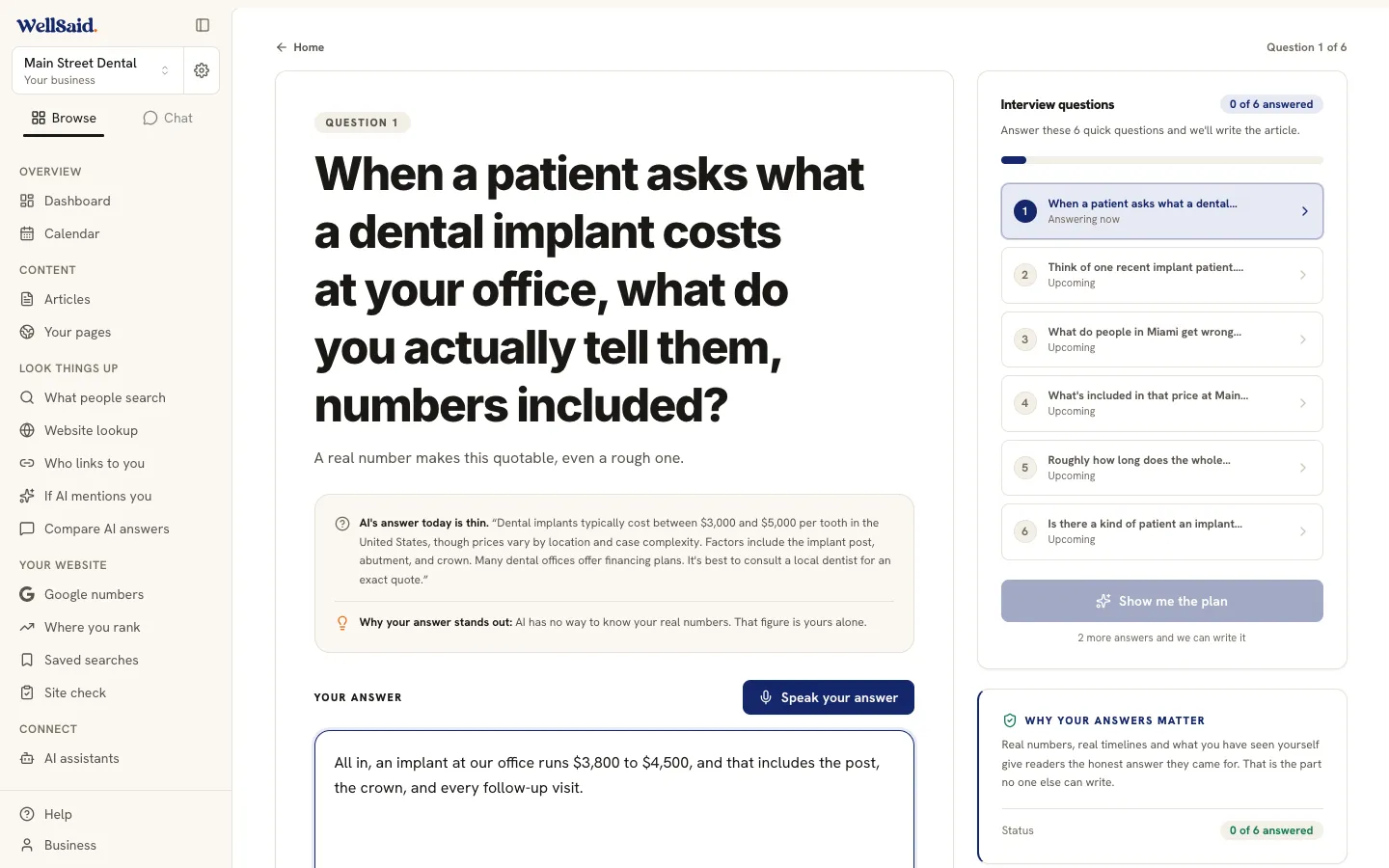
Hit "Answer this question" and the studio opens. It asks five to nine short questions about work you do every day. You just talk. Your words appear as you say them, and pausing to think is fine. Nothing to write, nobody timing you.
The tour · The plan
You approve the plan before a word is written.
After you talk, WellSaid shows its plan: who's asking this question, and the angle your answer will take. Change it if you want, or just approve it. Then the article writes itself, about four minutes, with an honest progress bar. You can close the tab. It keeps going without you.
The tour · Content
One talk becomes one answer.
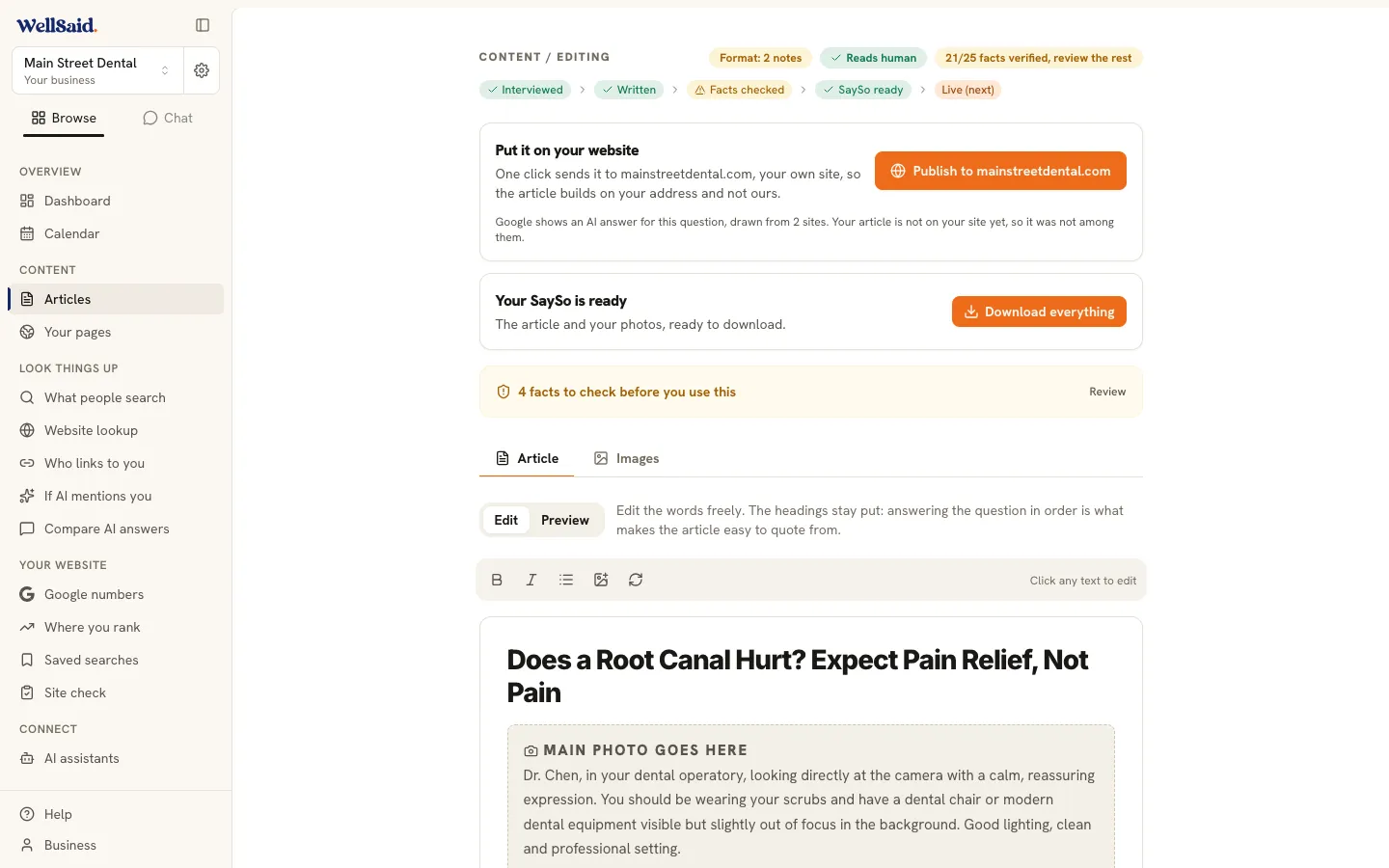
An article that gives the answer right away, in your words, with every fact checked against what you actually said. Plus photo ideas with the captions already written, so you know which pictures are worth taking. It all lives under Content, so nothing gets lost.
The tour · Publishing
Getting it onto your website.
If your website runs on WordPress, connect it once under Business and the button reads "Publish to yoursite.com." Your article lands on your own blog, where it belongs. Site running on something else, or not ready to connect? One button hands you the finished article to paste in yourself. Either way, nothing ever goes live without your click.
How publishing works, in full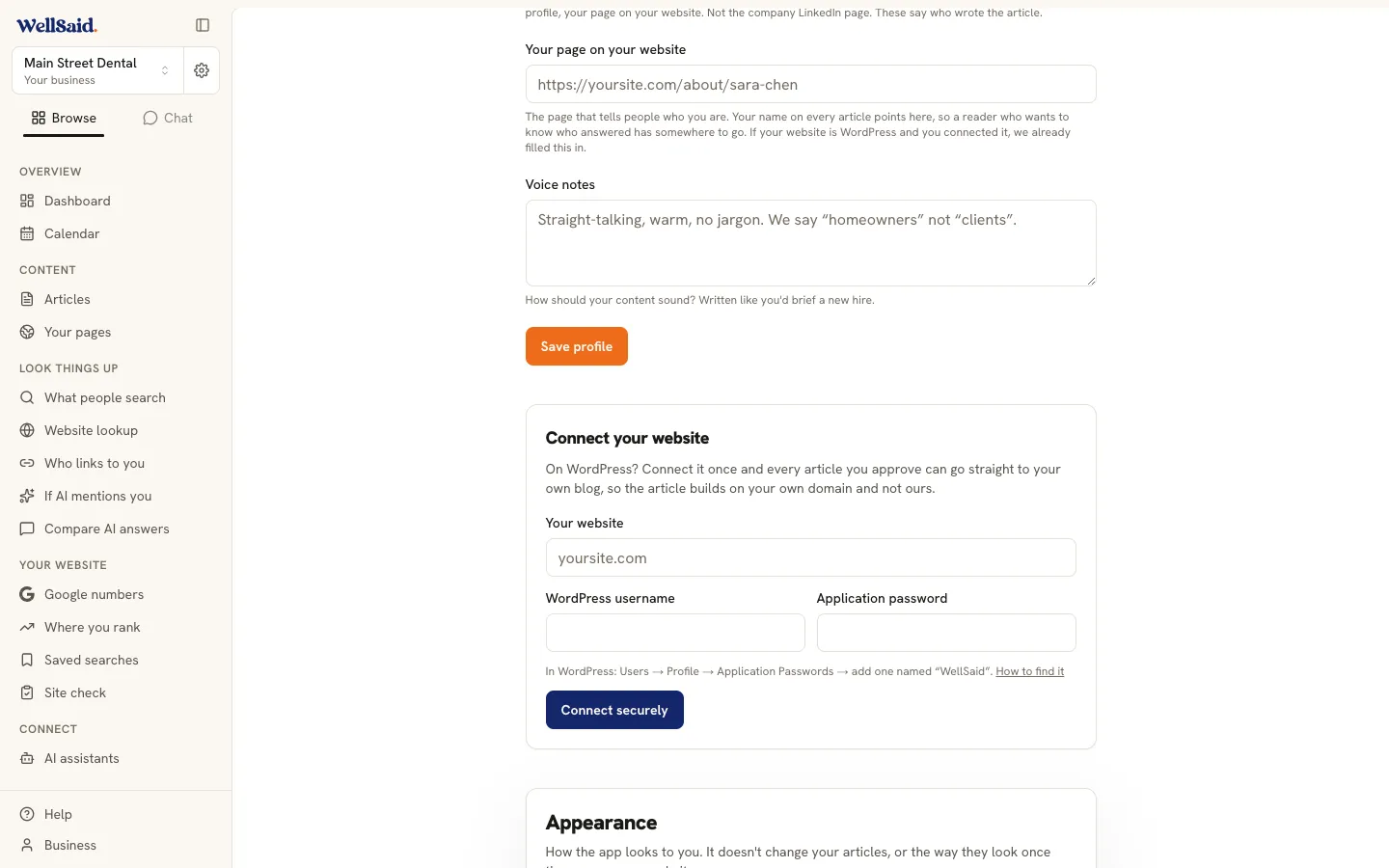
The tour · Visibility
Is it working? Here are the receipts.
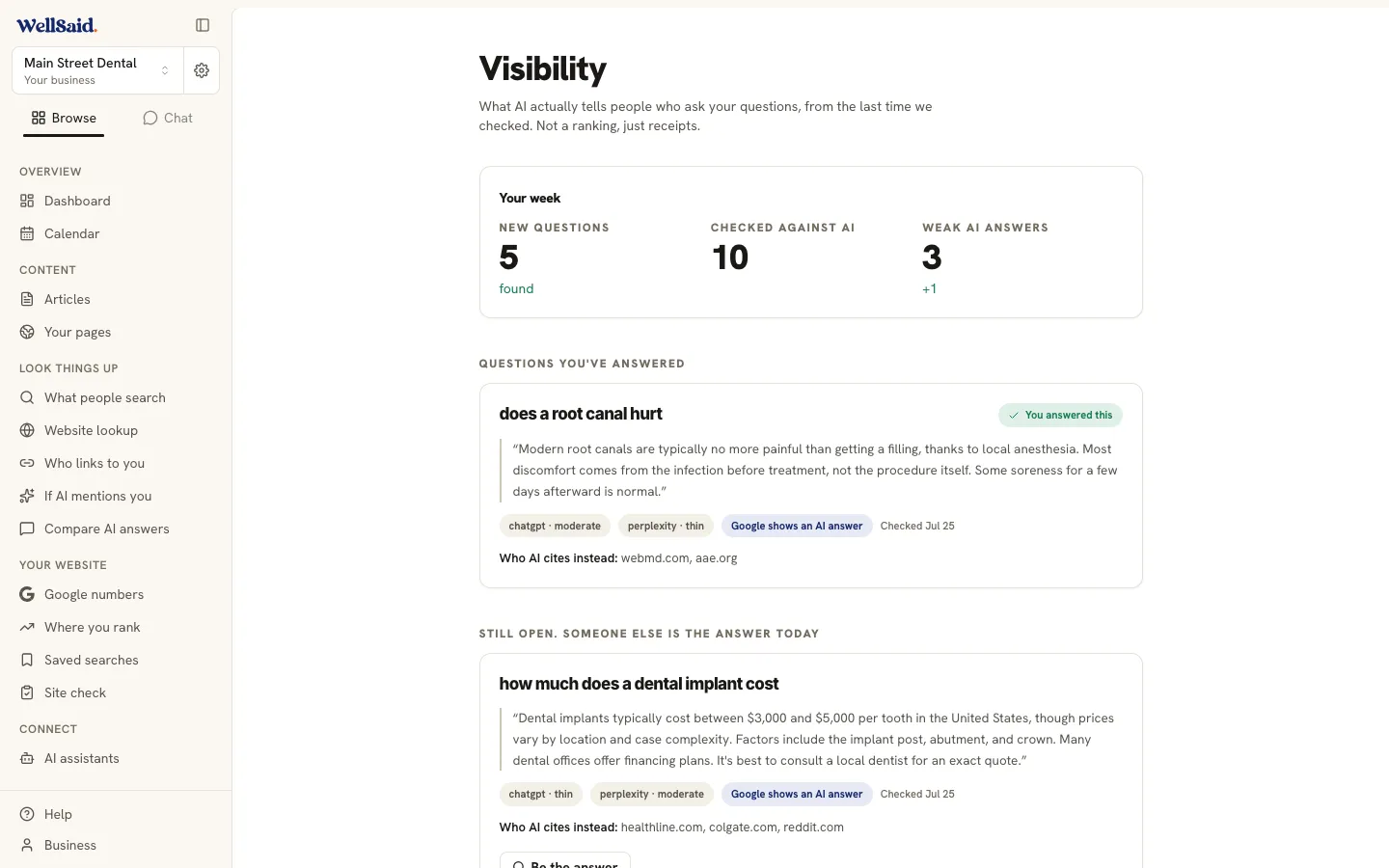
Visibility shows what AI actually said the last time we checked each question, and who got named. Questions you've answered sit at the top. Questions still open say so plainly: someone else is the answer today. No mystery scores and no rankings. Just what we saw when we checked.
The honest part
Five minutes a week.
Results take longer, and we'll show you.
Your whole job is one short talk a week. The finding, writing, checking, and technical work all happen without you. But nobody can promise you a spot in an AI answer, and we never will. AI reads new pages over weeks, not overnight, and every answer you publish builds on the last. Give it a season, and check Visibility for the receipts along the way.
Common questions
The things owners ask us.
Do I need to be good with computers?
No. If you can take a phone call, you can do this.
You answer three short questions about your business, then you talk. WellSaid does the writing, the checking, and the technical stuff AI looks for. The menu is four plain words, and Home only ever shows one thing to do.
What if I don't have a website?
You'll want one, and it doesn't have to be fancy.
WellSaid still finds your questions, still interviews you, and still writes the article, and it's yours to download and keep. But an answer only starts working for you once it's live at an address that belongs to you. If you don't have a site yet, email us and we'll talk it through.
Will the writing really sound like me?
It's built only from your words.
The article comes from what you said in the studio: your prices, your stories, the way you explain things to a customer. Nothing is pulled from some other business's website. If it doesn't sound like you, fix it before you publish. Nothing goes out without your click.
What if the AI makes something up?
If you didn't say it, it doesn't go in.
After the writing, a checker reads every line and traces each fact back to your own words. Anything it can't back up gets flagged and held out. You see the article before anyone else does.
How long until I see results?
Weeks, not days. And we show you honestly.
AI tools take time to read new pages, and one article rarely changes anything on its own. A steady answer a week builds a library nobody near you has. Visibility shows what AI actually says at each check, so you're never guessing.
Do I need to log in every day?
No. Once a week is the whole idea.
Home shows one question when it's your turn, and a green “All good” when it's not. If you skip a week, nothing breaks. The question waits for you.
How much of my time does this really take?
About five minutes of talking, plus two clicks.
One click to approve the plan, one click to publish. The finding, the writing, the fact-checking, and the technical work all happen while you're with customers.
Can it post to my WordPress website?
Yes. Connect it once and forget it.
Under Business, choose “Connect your website” and paste your site address. From then on the publish button reads “Publish to yoursite.com” and articles land on your own blog. Nothing goes live without your click.
Ready to be the answer?
Start with three short questions. About ten minutes later you'll be looking at the first question your customers are already asking.
From $40 a month. Cancel any time.